



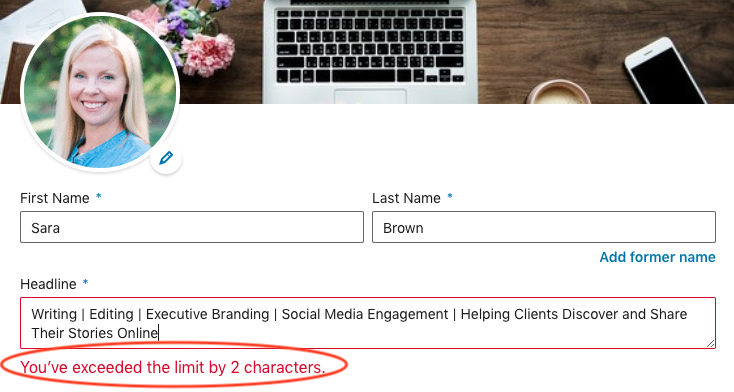
If you’re putting in the effort to optimize your LinkedIn profile, the last thing you want is to waste time guessing at proper image sizes and character limits. Knowing exact specifications for different LinkedIn fields ahead of time will help. Here’s a comprehensive guide to keep your frustrations at bay.
Remember: LinkedIn changes its rules on a daily basis. This list is current as of today.
Image Sizes
Background photo:1,584 (w) x 396 (h) pixels recommended (4:1 proportion). Maximum size is 8MB.
Profile photo: Between 400 (w) x 400 (h) and 7,680 (w) x 4,320 (h) pixels recommended. Maximum file size is 8MB.
Note: On the current desktop experience, your profile photo floats on the left edge of the background image. On mobile, your profile photo centers on the background image. Be sure to use a visual that works both ways.
Character Limits
Name: first name: 50 characters, last name: 50 characters
Headline: 120 characters (210 characters on mobile)
Summary: 2,000 characters
Summary cut-off desktop: 3 lines of text; about 270-320 characters (before clicking “See more”)
Summary cut-off mobile: 3 lines; about 100-150 characters (before truncated)
Position title: 100 characters
Company: 100 characters
Location: 80 characters
Position description: 2,000 characters
Rich media: Unlimited and 4 visible on profile
Contact Info:
Vanity (custom) URL: 3-100 characters (after “www.linkedin.com/in/”)
Website URL: 249 characters
Website Anchor text: 30 characters (shown in parentheses after website URL)
Phone number: 25 characters
IM (Instant Message): 50 characters
Address: 1,000 characters
Skill Limits
Skills: 50
Endorsements: Unlimited; after you get more than 99, LinkedIn will show “99+” as the count
Top skills (most visible): 3